Device Settings
Everything You Can Manage from the App Menu
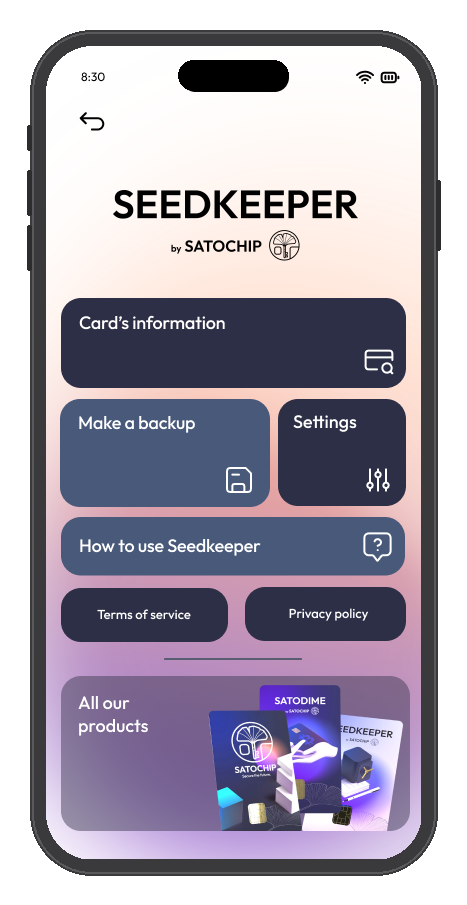
Beyond passwords, passkeys, and OTP, the app's menu (tap the 3-dot icon, top right) lets you name your device, check memory usage, verify your device's authenticity, change your PIN, and view app logs - all under Card's Information.
Overview
Open the 3-dot menu (top right) to reach the app's main menu. From there:
- Card's Information - rename your device, change your PIN, verify authenticity, view logs
- Make a Backup - back up one device to another (a top-level entry, not inside Settings)
- Settings - launch the app's intro screens, enable debug mode, or factory-reset your device
Naming Your Device
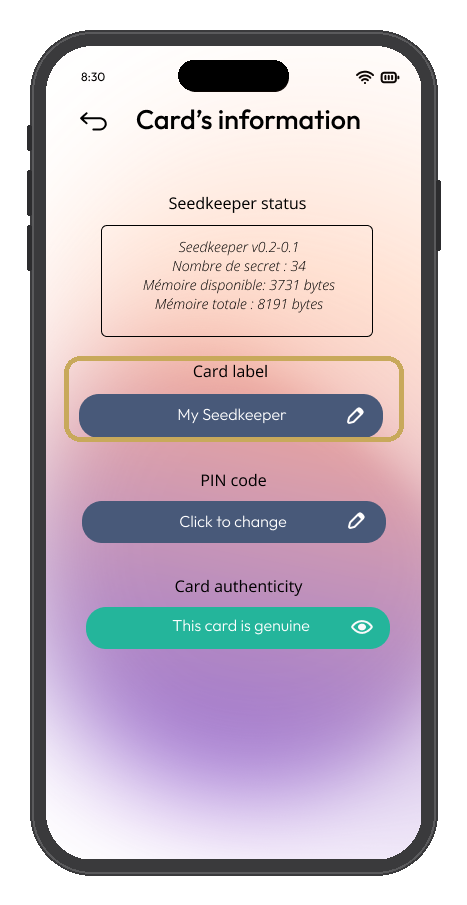
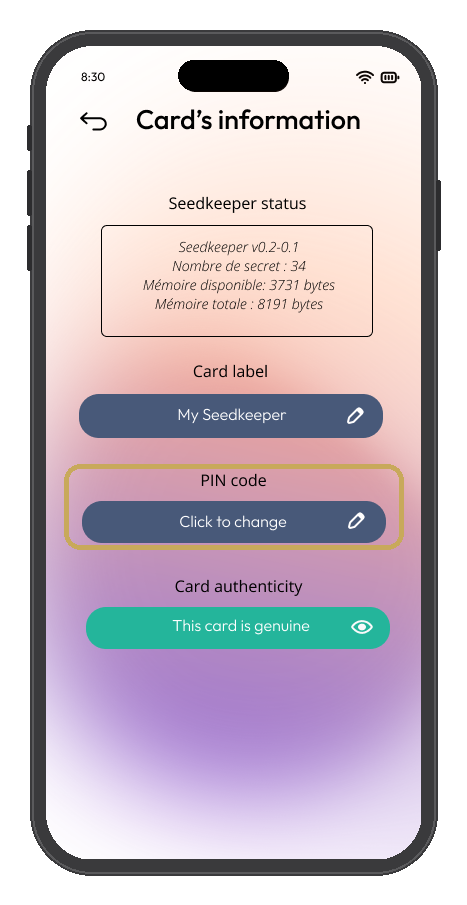
If you have more than one card or ring, you can give each one a name to tell them apart - useful once you have a Master and a Backup device, or a mix of Classic and PRO. Go to Card's Information and edit the label.
Checking Memory Status
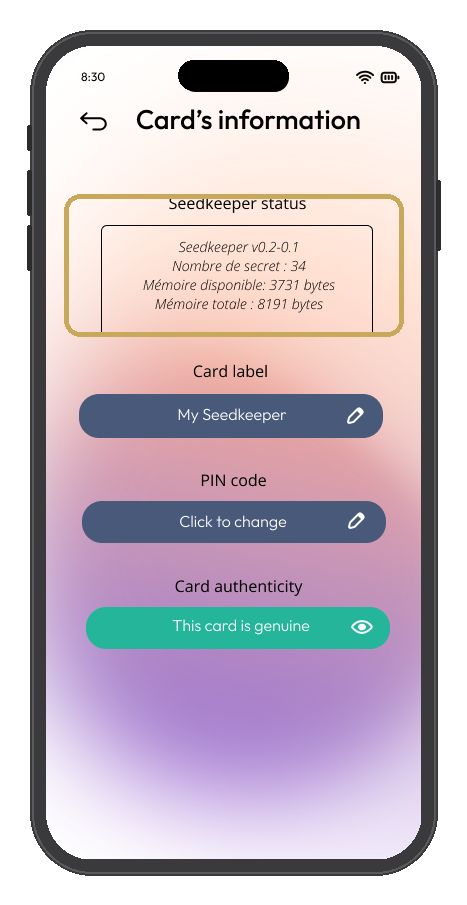
Your device has 8 KB of memory, shared across every secret stored on it. You can check how much is used and how many secrets are stored at the top of Card's Information, under Seedkeeper status.
If you try to add a new secret once memory is full, the NFC toast shows a red exclamation mark with an error message telling you there's no space left.
Verifying Authenticity
Go to Card's Information → Verify Authenticity to confirm your device genuinely comes from Satochip S.R.L. The app checks the certificate that signed your device against Satochip's official certificate.
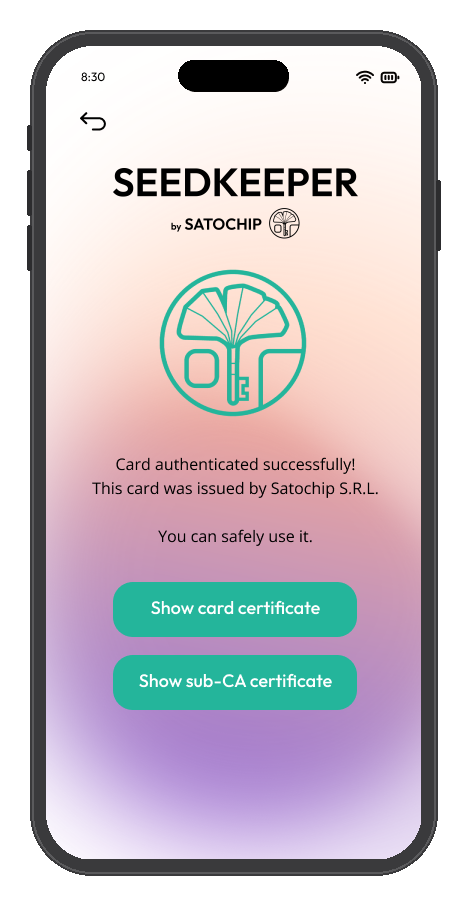
Authentication successful
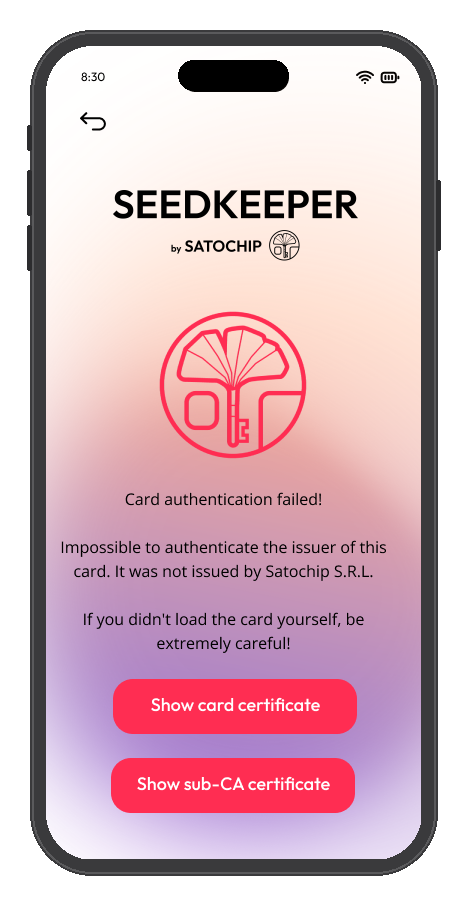
Authentication unsuccessful
Changing Your PIN
Go to Card's Information → Change PIN. If you still know your current PIN, changing it doesn't affect any of your stored secrets. If you don't, see PIN Problems and Lockouts. This is different from Resetting Your Seedkeeper, which is only needed if you've forgotten your PIN entirely and wipes the device.
Viewing App Logs
Go to Card's Information → View Logs to see your device's activity log.
Backing Up Your Device
Tap Make a Backup from the main menu. See Backup & Recovery for the full walkthrough.
FAQ
Can I rename my device later?
Yes, at any time from Card's Information. See Naming Your Device above.
What happens if my device runs out of memory?
If you try to add a new secret once your 8 KB of memory is full, the NFC toast shows a red exclamation mark with an error message - see Checking Memory Status above.
How do I know my device is genuine?
Card's Information → Verify Authenticity checks your device's certificate against Satochip's official certificate. See Verifying Authenticity above.
I forgot my PIN - can I still change it?
No. Changing your PIN requires knowing the current one. If you've forgotten it, your only option is Resetting Your Seedkeeper, which wipes the device.