Setting Up an OTP Access PIN
Add a PIN Before Anyone Can See Your OTP Codes
By default, scanning your Seedkeeper PRO shows your OTP codes with no PIN required. You can add one from Configuration → Manage Password, under 2FA Accounts.
Overview
Out of the box, anyone who scans your Seedkeeper PRO can see your list of OTP codes - no PIN needed. Setting up an access PIN closes that gap: once it's set, the app asks for it every time someone tries to read or generate your OTP codes.
It also turns the device from a single factor into two: something you have plus something you know.
Step-by-Step Instructions
Step 1: Open the menu
From the Seedkeeper PRO App, tap the 3-dot menu, then Configuration.
Step 2: Go to Manage Password
Under 2FA Accounts, tap Manage password.
Step 3: Scan your card
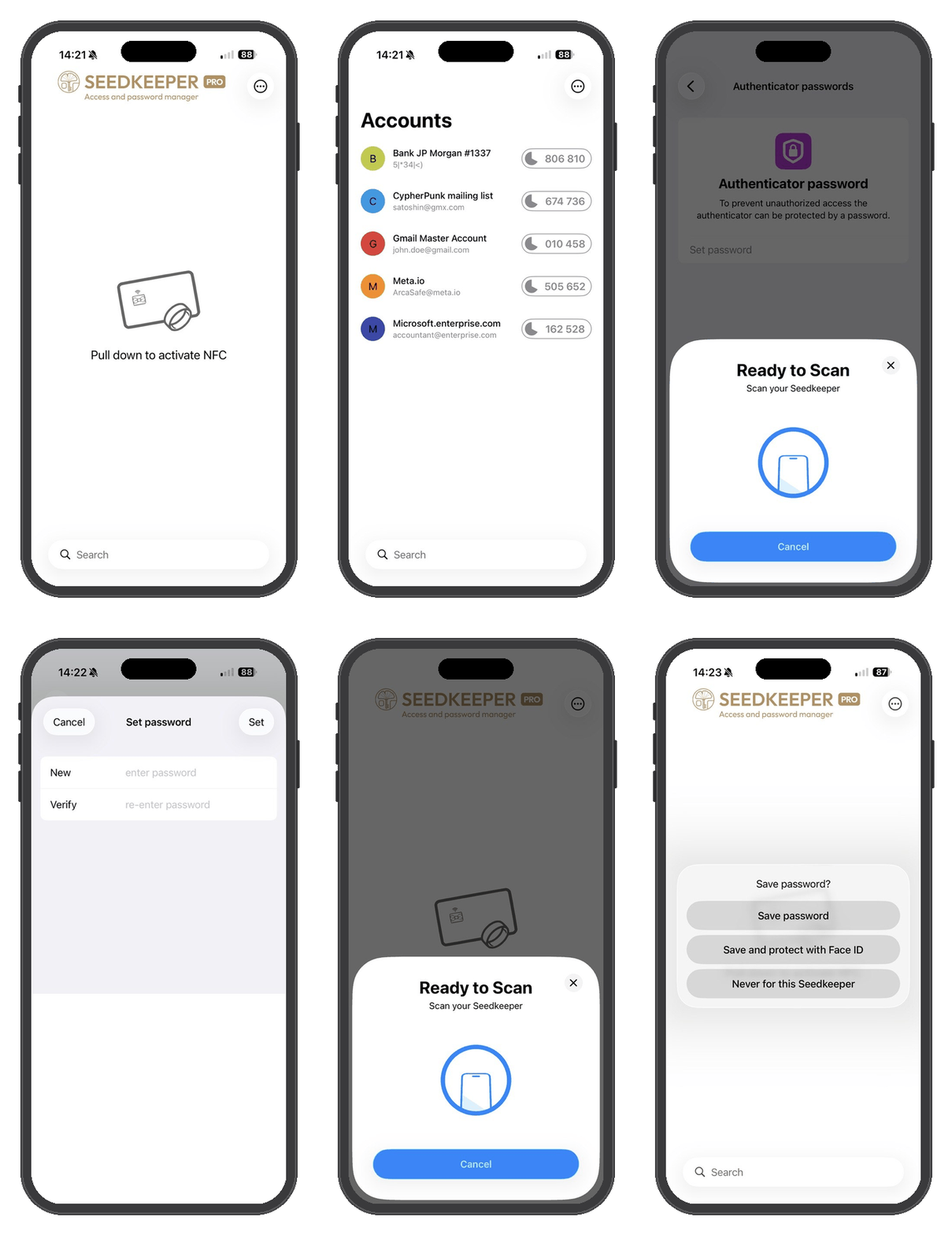
This lets the app check whether a PIN is already set. If none is set yet, tap Set password.
Step 4: Set your password
Enter and confirm your personal PIN, then scan your card again to validate.
Step 5: Go back to the home screen
Refresh the app and scan your card. From now on, you'll need to enter this PIN every time you want to view or generate your OTP codes. You can optionally have the app memorize the PIN so it doesn't ask every time.
Follow the same steps to change it - you'll just land on a different option since a PIN already exists.
Follow the same steps, but tap Remove password under Manage Password instead of Set password.
FAQ
Is a PIN required to view OTP codes by default?
No. Without setting one up, anyone who scans your device can see your OTP codes. See the Overview above.
How do I change my existing OTP PIN?
Follow the same steps above - see Already have a PIN? above.
How do I remove my OTP PIN?
Follow the same steps, but tap Remove password instead of Set password. See Want to remove it instead? above.
Is this the same PIN as my password manager or passkeys?
No. Seedkeeper PRO uses three independent PINs: the password manager PIN, the FIDO PIN for passkeys, and this one for OTP access. See Setting Up Your Passkey PIN for the full breakdown.
What happens if I forget my OTP access PIN?
There is no recovery. Regaining access means resetting the applet, which erases the OTP credentials stored on the device - which is why saving the original QR code or secret matters. See Backup and Restore Procedures.