Creating Your First Passkey
Try Passwordless Sign-In Risk-Free
A passkey lets you sign in without a password, using your Seedkeeper PRO instead. Since there's no single "first passkey" flow, the easiest way to try it is on a test website like passkeys.io - no real account needed.
Overview
A passkey replaces your password with a secure credential stored on your Seedkeeper PRO, based on the FIDO2 standard. Instead of typing a password, you scan your device to sign in. See What is a Passkey? for the full explanation.
Before you set one up on a real account, it's worth trying it on a test site first - passkeys.io is built exactly for this: a live demo login box, no real email required.
Step-by-Step Instructions
Step 1: Make sure your PIN is set up
You'll need your passkey PIN configured first - see Setting Up Your Passkey PIN if you haven't done that yet.
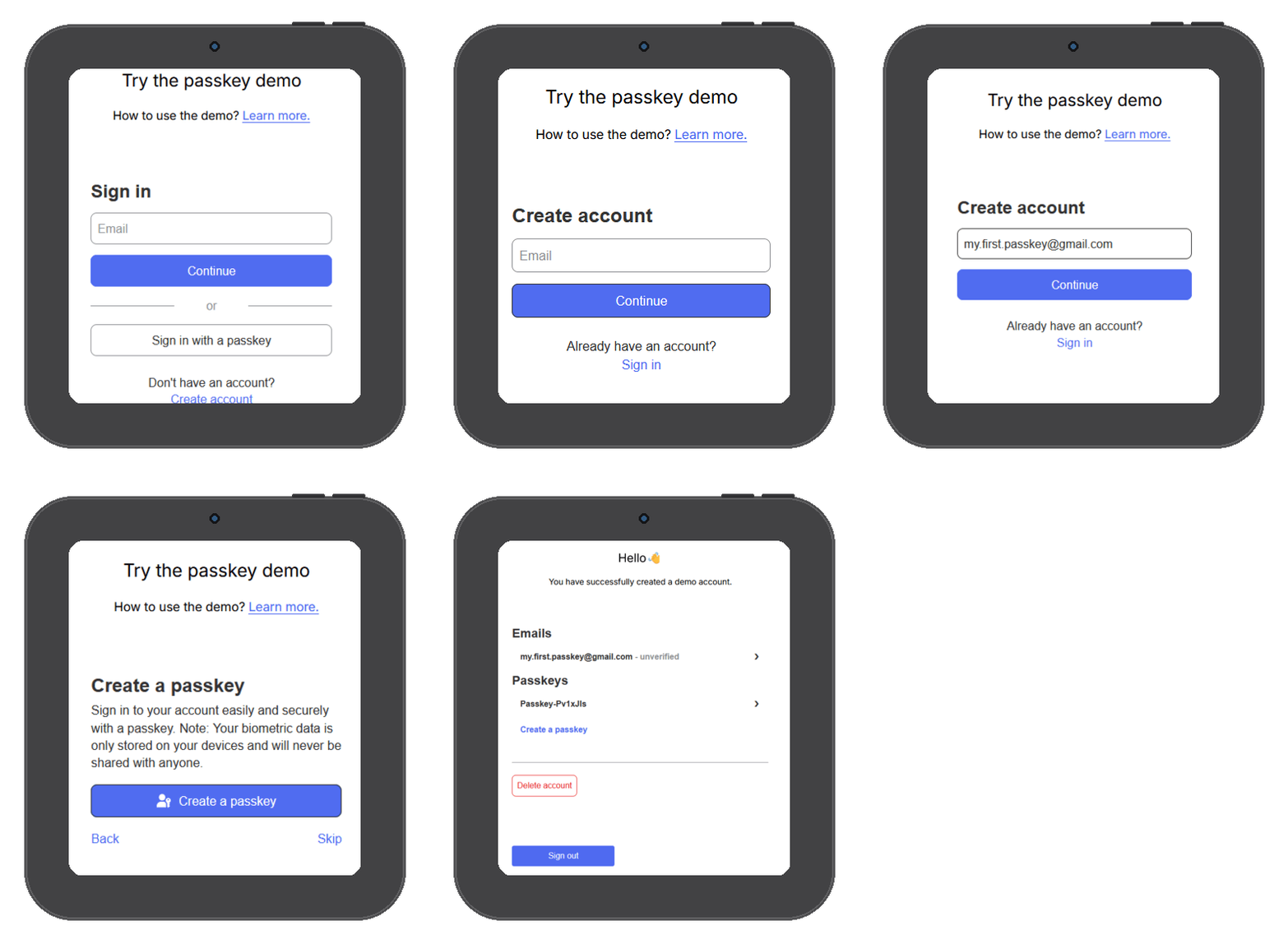
Step 2: Go to the test site
Open passkeys.io and tap Create Account.
Step 3: Enter an email
Any email works here - it doesn't need to be real, this is just a test.
Step 4: Create the passkey
Tap Create Passkey.
Step 5: Scan your device
A prompt appears asking you to connect your Seedkeeper PRO. Scan it and enter your passkey PIN.
Your passkey is now stored in your Seedkeeper PRO's secure element. You can sign back in to this site anytime with just your device - no password needed.
FAQ
Do I need to set up my PIN before creating a passkey?
Yes. See Setting Up Your Passkey PIN first.
Why use a test website instead of a real account?
It lets you try the full passkey flow risk-free, with no real email or account needed. Once you're comfortable, you can create passkeys the same way on any site that supports them.
Is my passkey stored in the cloud?
No. It's stored directly in your Seedkeeper PRO's secure element - nothing is sent to Satochip or anywhere else.